

Mobile Wallet Security Tips
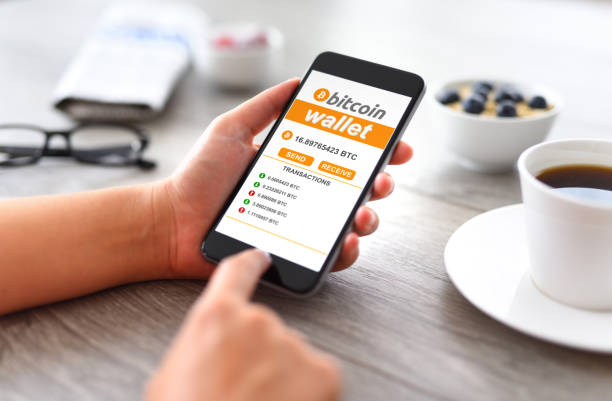
As more people begin their Bitcoin journey using mobile wallets, it’s never been more important to understand the risks—and the simple steps you can take to protect your funds.
Mobile wallets like Blink, Aqua or exchanges like Luno and Valr
offer incredible convenience, but they also rely heavily on your phone’s security settings. And when phones are lost or stolen, recovery can be tricky—or even impossible—if proper precautions weren’t taken.
Let’s break down 8 essential practices you should follow to keep your Bitcoin safe:
1. Use a Strong PIN or Password
Don’t rely on your phone’s screen lock alone. Set a strong passcode inside your wallet app—avoid obvious combinations like 0000 or 1234. This is your first layer of defense if someone gets access to your device.
2. Enable Biometric Security
Use fingerprint or face recognition if your app supports it. Most modern mobile wallets include this feature, and it’s one of the best ways to prevent unauthorized access.
3. Backup Your Wallet Properly
If your wallet uses a 12- or 24-word recovery phrase (like Blink or Aqua), write it down and store it offline in a safe place. This is the only way to recover your funds if your phone is lost or reset.
Do not take a screenshot and keep it in you phone, or store the phrase in cloud storage like Google Drive or iCloud.
4. Activate Two-Factor Authentication (2FA)
If you’re using an exchange like Luno or Valr, always activate 2FA. This adds a second verification step (usually via SMS or an authenticator app) to prevent anyone from logging into your account with just your password.
5. Keep Only What You Need on Mobile
Mobile wallets are great for daily spending, but avoid storing large amounts of Bitcoin on them. For long-term or high-value holdings, consider using a hardware wallet or other cold storage method.
6. Update Your Phone and Apps
Stay up to date with the latest software. App and phone updates often include security patches that fix vulnerabilities hackers could exploit.
7. Use Unique Passwords Across Apps
Don’t reuse passwords. Use a password manager to generate and store secure, unique passwords for your wallet, email, and exchange accounts.
8. Transfer Earnings to a Secure Wallet Regularly
f you’re a service provider earning in Bitcoin, make it a habit to transfer your sats to a more secure wallet daily or weekly—preferably one you don’t carry around. Treat your mobile wallet like a cash purse, not a vault. This simple habit protects your hard-earned sats if your phone is ever lost or compromised.
Bitcoin gives you incredible freedom—but that freedom comes with responsibility. You can dramatically reduce the chances of losing access to your funds if you follow safe protocols. Being your own bank also means taking the time to secure your vault.
If you’re unsure about any of the above, feel free to reach out or join one of our community meetup sessions. We’re here to help each other grow and stay safe.